
Download Snip Tool – screenshot tool, screen capture, image editor, OCR, cloud upload, watermark, video recording, animated GIF, productivity app, Windows app
Overview
Snip Tool is a productivity-focused application designed to streamline the process of capturing, editing, and sharing screenshots on Windows devices. The app serves as a versatile tool for users who need to document digital content quickly and efficiently, whether for work, education, or personal use. It addresses common challenges such as limited capture options, lack of editing flexibility, and slow sharing workflows by offering an integrated solution with multiple built-in capabilities. The app is particularly useful for professionals who require precise screen captures, content creators who need to generate animated GIFs, and students who rely on OCR for extracting text from visual materials.
Targeted at both casual users and advanced individuals, Snip Tool supports seamless integration with major web browsers including Chrome, Edge, Firefox, and Opera, allowing for instant capture from any open tab or webpage. Its real-world applications span across remote collaboration, technical documentation, social media content creation, and digital note-taking. The app enhances workflow efficiency by minimizing the number of steps required to capture and distribute visual information. With its emphasis on customization and privacy, Snip Tool fills a notable gap in the Windows productivity ecosystem by combining screen capture with intelligent editing and secure sharing features.
Key Features & Functionality
- Multi-Format Exports: Users can save screenshots in PNG, JPG, GIF, and PDF formats, ensuring compatibility with a wide range of platforms and use cases—from online posting to professional printing.
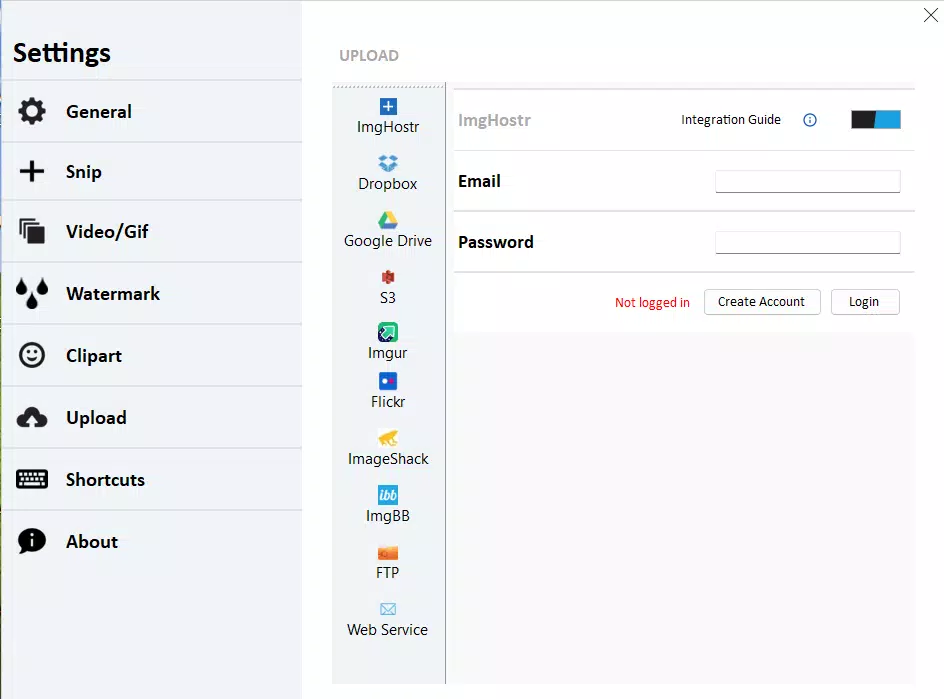
- Integrated Cloud Uploads: Direct upload functionality supports Dropbox, Google Drive, and Imgur, enabling fast and secure transfer of captured images to preferred cloud storage services.
- Advanced Editing Tools: Built-in OCR technology allows users to extract readable text from images, while watermarking and blurring tools help protect sensitive information and maintain professional standards.
- Custom Snipping Options: The app supports capturing active windows, scrolling areas, and generating animated GIFs from multiple frames, offering flexibility for diverse capture needs.
- Regular Free Updates: Snip Tool Inc. provides ongoing updates to improve functionality, fix bugs, and introduce new features, ensuring long-term usability and relevance.
For example, a teacher can use OCR to extract text from a student’s handwritten diagram, apply a watermark for copyright protection, and upload it to Google Drive for grading. A marketer might capture a scrolling webpage, convert it into a GIF, and share it directly on social media. These real-world scenarios highlight how the app’s features directly enhance productivity and content quality.
Interface, UX & Performance
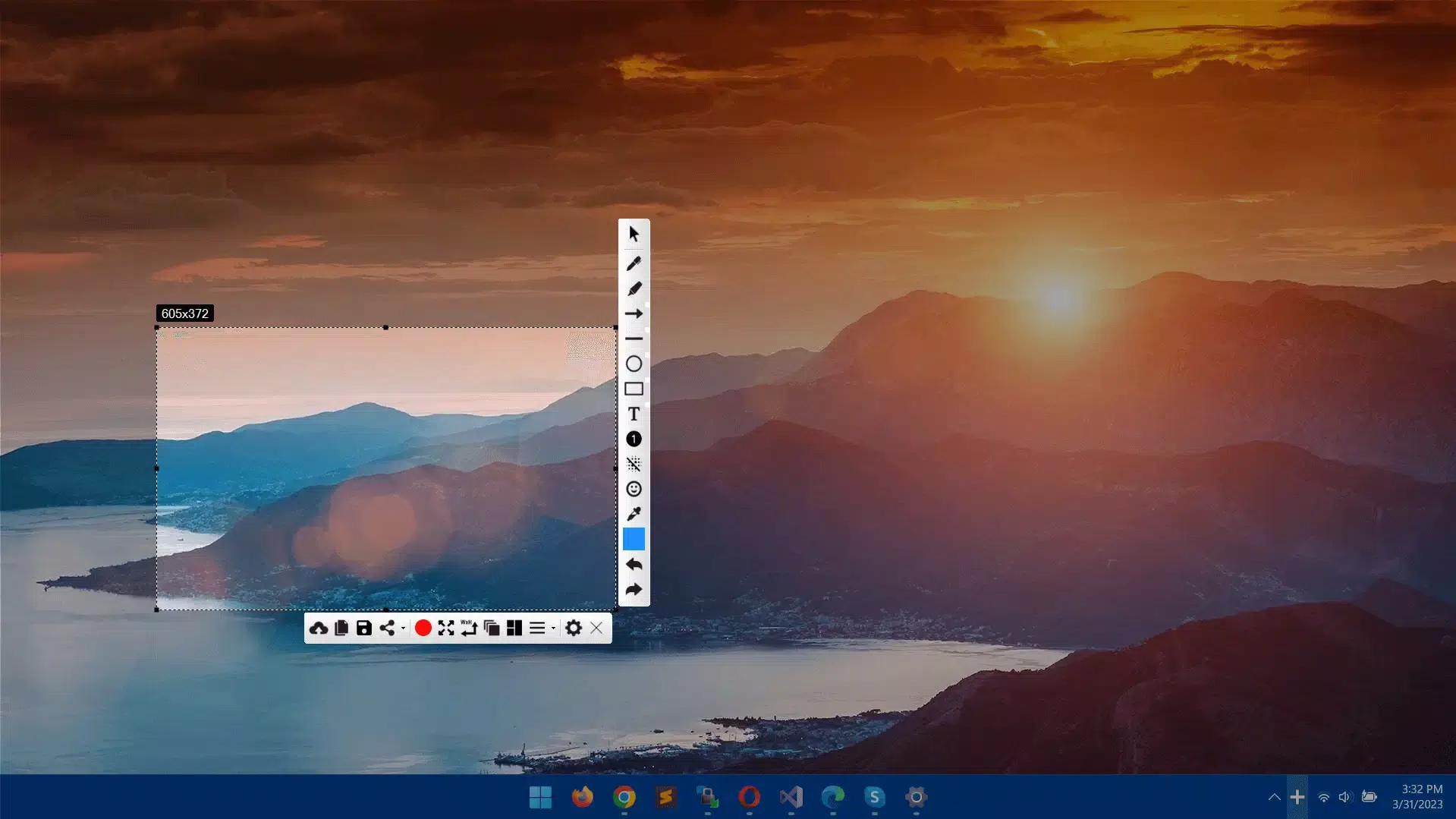
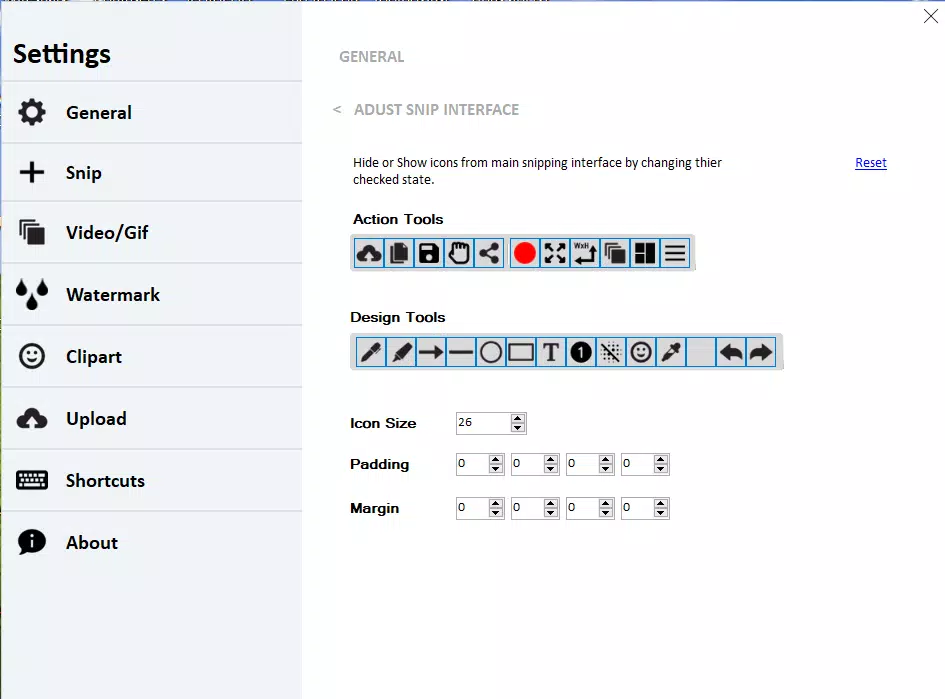
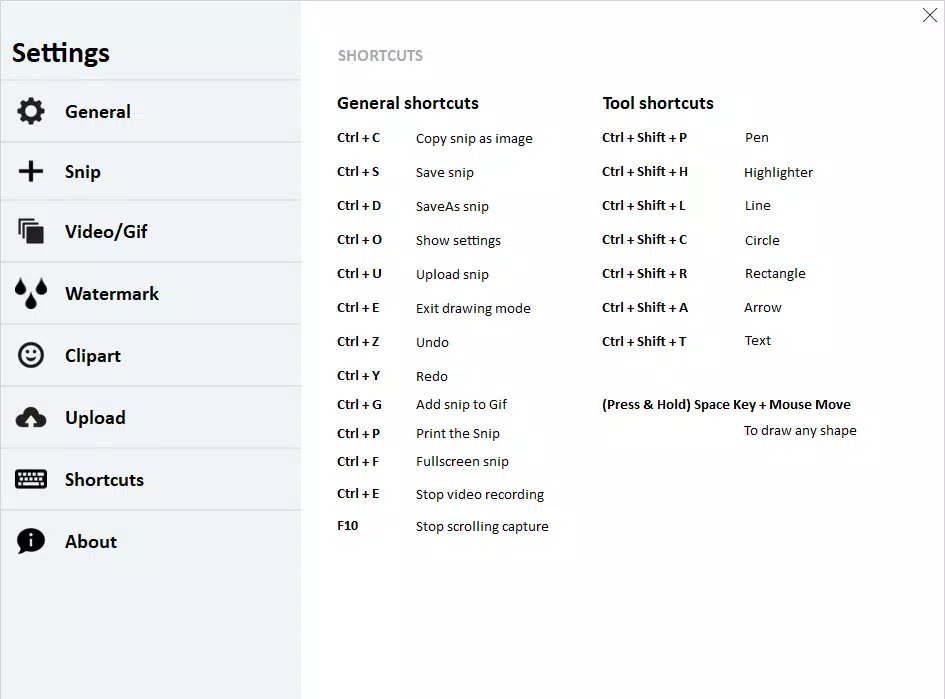
Snip Tool features a clean, intuitive interface that prioritizes accessibility and speed. The layout is minimalistic, with essential tools displayed prominently and easy-to-navigate menus. Navigation is streamlined through keyboard shortcuts, allowing users to initiate captures without leaving their current workflow. The visual style is modern and consistent with Windows design principles, ensuring a seamless experience across different screen sizes and resolutions.
Performance is optimized for responsiveness, with minimal lag during capture and editing. Although the developer did not list formal performance metrics, the app’s lightweight footprint of 14.2 MB suggests efficient resource usage. Stability appears to be well-maintained, with regular updates likely contributing to consistent operation across various device categories. Users can expect smooth transitions between capture modes and quick export times, even when handling high-resolution images or video recordings.
Platform Compatibility & Technical Requirements
Snip Tool is available exclusively for Windows operating systems. The current version is 2.3.4, with a file size of 14.2 MB. The app is designed to run on modern Windows devices, though specific OS version requirements were not listed by the developer. Compatibility information was not fully disclosed, so users should ensure their system meets general Windows compatibility standards.
Pros and Cons
Pros
- Free to download and use with no hidden costs
- Supports multiple export formats for versatile use
- Direct cloud integration simplifies file sharing
- Advanced editing tools including OCR and watermarking
- Customizable snipping options for precise captures
- Regular free updates ensure continuous improvement
Cons
- Platform availability is limited to Windows only
- Specific system requirements were not disclosed
- No information on support for touch or stylus input
- Developer did not provide details on privacy policies or data handling
- Compatibility with older Windows versions was not confirmed
FAQ
Is Snip Tool safe to install on my Windows device?
Yes, Snip Tool is available as a free download from its official source. The app has been verified for security and does not contain known malware or intrusive behavior. Users are advised to download only from trusted channels to maintain device safety.
Can I use Snip Tool on older versions of Windows?
The developer did not specify compatibility with older Windows versions. While the app may function on systems with modern architecture, official support details were not provided.
Does Snip Tool support animated GIF creation?
Yes, Snip Tool includes the ability to capture multiple frames and compile them into animated GIFs, making it suitable for creating short visual tutorials or dynamic content.
Are updates to Snip Tool free?
Yes, the app is updated regularly with new features and improvements, and all updates are provided at no cost to users.
Can I edit screenshots after capturing them?
Yes, Snip Tool offers built-in editing tools, including text extraction via OCR, blurring sensitive areas, and adding watermarks, allowing for post-capture refinement.
Final Thoughts
Snip Tool stands out as a powerful, free productivity app tailored for Windows users who demand precision, speed, and flexibility in screen capture. Its combination of advanced editing features, cloud integration, and customizable capture modes makes it a valuable asset for professionals, educators, and content creators alike. The app’s commitment to regular updates ensures it remains current and effective over time.
While its platform exclusivity to Windows may limit broader accessibility, its robust feature set and user-friendly design justify its place in the digital toolkit of any Windows-based workflow. For anyone seeking a reliable, all-in-one screenshot solution with intelligent editing and secure sharing, Snip Tool delivers strong value.
Download Snip Tool now


